Retry Mechanisms
Overview
The retry functionality is a critical component of the payment processing system, designed to handle transient failures and provide users multiple opportunities to successfully complete their payment transactions. This mechanism permits up to 5 attempts when a user encounters a failure during payment or payment method entry validation.
Key Benefits:
- Improved Success Rates: Reduces transaction abandonment by providing multiple attempts
- Enhanced User Experience: Offers clear guidance through error messages
- Seamless Recovery: Allows users to correct mistakes without restarting the entire payment process
- Detailed Error Feedback: Provides specific information about what went wrong and how to fix it
What is Retry Logic?
A retry mechanism is a strategy designed to allow users to retry failed operations, aiming to recover from errors or failures. This mechanism ensures the system continues to operate smoothly by pausing and allowing retry operations for a fixed number of times, such as 5.
Add Payment Method Retry Flow
Make Payment Retry Flow
Session Modes and Behaviors
In the CCG widget, the retry mechanism is implemented to handle different session modes, specifically for PAYMENT, PAYMENT_METHOD_ENTRY, and PAYMENT_WITH_WALLET modes. The behavior varies based on the mode:
-
For
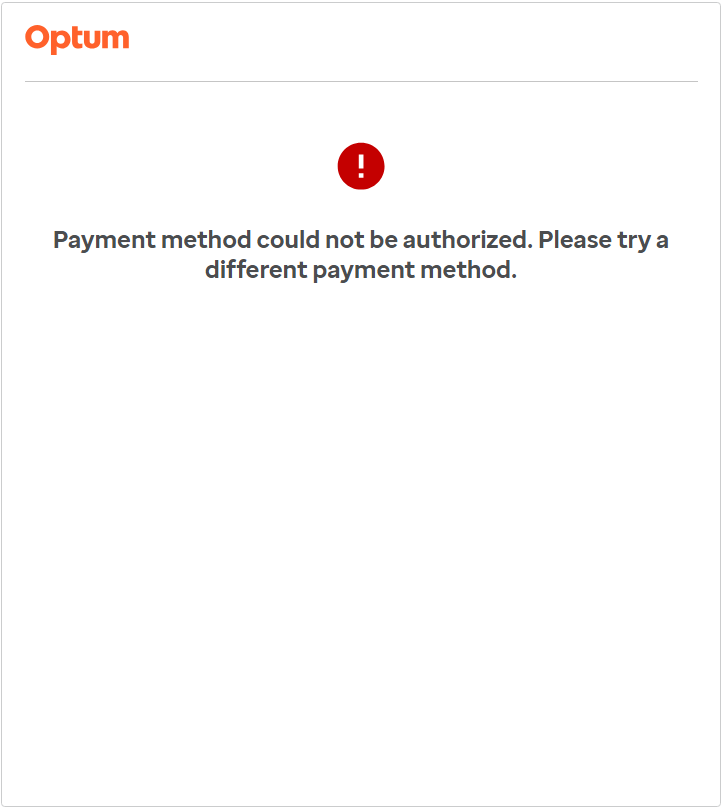
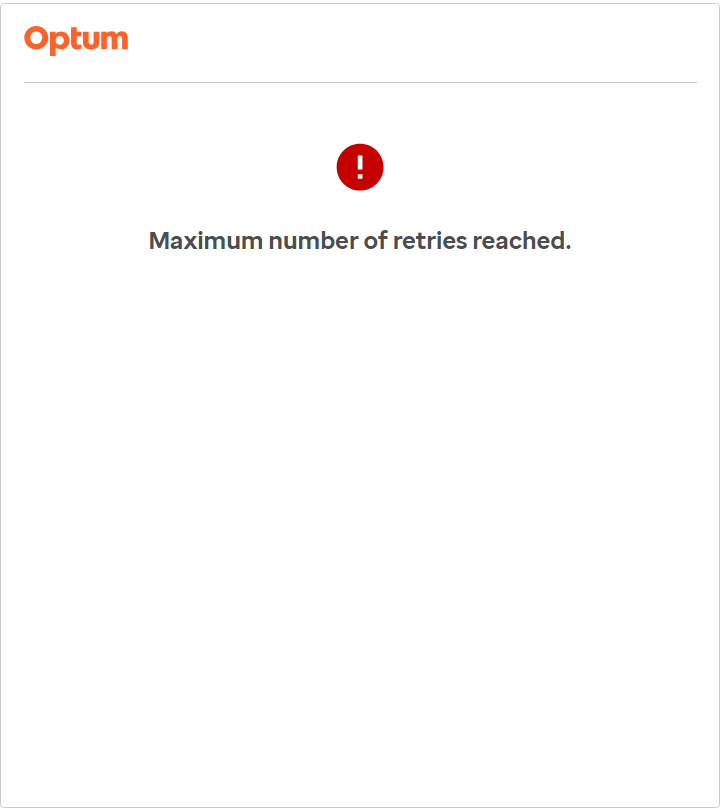
PAYMENTandPAYMENT_METHOD_ENTRYmodes, after all retry attempts are exhausted, the session becomes invalidated, and a dead-end screen is displayed to the user. This indicates that the user has reached the maximum number of allowed attempts without successfully completing the payment or payment method entry process. -
In contrast, for the
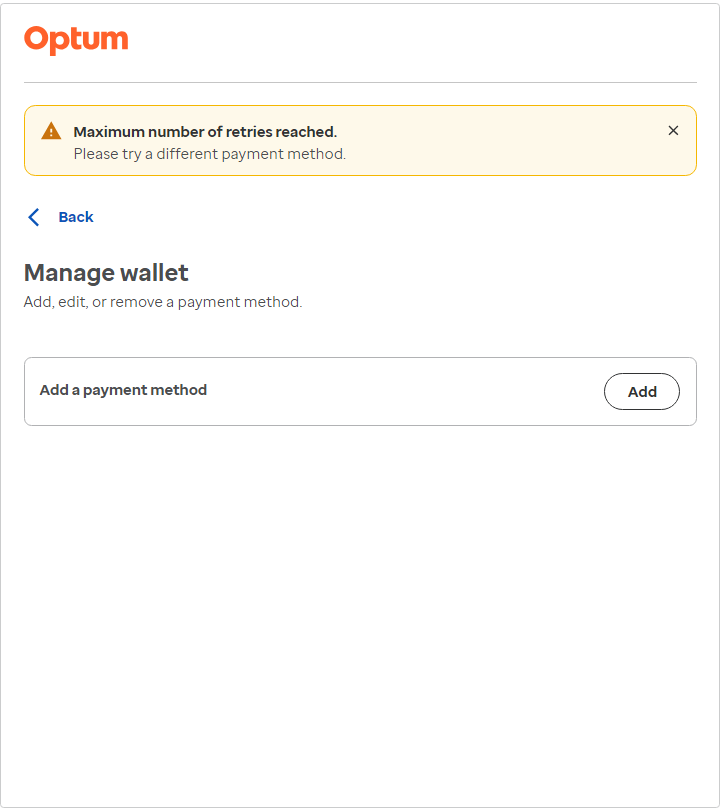
PAYMENT_WITH_WALLETmode, upon exhausting all retry attempts, the retry count is reset, and the user is redirected back to the wallet screen. A warning message is displayed to inform the user about the need to add payment method details again. Unlike the previous modes, the session in this case is not invalidated, allowing the user to attempt the payment process again.
PAYMENT mode:
PAYMENT_METHOD_ENTRY mode:
PAYMENT_WITH_WALLET mode:
This detailed explanation outlines the specific behaviors and outcomes associated with the retry mechanism in the CCG widget across different session modes, ensuring a clear understanding of how the system responds to various user actions and attempts.
Implementation Details
Retry Logic for Making Payment
This feature allows users to retry payment attempts after initial failures, addressing issues like declined cards. It includes:
- Initial Processing: Validation of payment and payment method details.
- Retry Logic:
-
Retry Attempts: Up to 5 attempts to correct errors.
-
Error Messages: Guides users in fixing errors.
-
User Experience: Ensures a smooth process with dead-end error screen in the hosted experience and same is shown momentarily for embedded modal experience. However, in the embedded inline experience, a dead-end screen is not displayed.
-
Security: Protects sensitive data and prevents fraud.
-
Final Actions: Notifies users of failure. Webhook event
PAYMENT_FAILEDis triggered for the failed last payment attempt forCARDpayment method and for each failed attempt forBANK_ACCOUNTpayment method. Below are the sample webhook event responses for each type:Sample PAYMENT_FAILED Webhook Event Response: CARD
{
  "id": "XXXX-XXXX-XXXX-XXXX",
  "searchId": "XXXX-XXXX-XXXX-XXXX",
  "payload": {
    "id": "XXXX-XXXX-XXXX-XXXX",
    "error": {
      "code": "card_declined",
      "description": "Payment method could not be authorized. Please try a different payment method.",
      "errorDetails": {
        "code": "card_declined",
        "message": "Your card was declined.",
        "declineCode": "generic_decline"
      }
    },
    "amount": 100,
    "merchantId": "XXXX-XXXX-XXXX-XXXX",
    "description": "UI widget payment",
    "paymentMethod": {
      "card": {
        "last4": "0002",
        "zipCode": "76575",
        "cardBrand": "VISA",
        "expiryYear": 2029,
        "nameOnCard": "TEST",
        "expiryMonth": 10,
        "manufacturerCard": false
      },
      "error": {
        "code": "card_declined",
        "description": "Payment method could not be authorized. Please try a different payment method.",
        "errorDetails": {
          "code": "card_declined",
          "message": "Your card was declined.",
          "declineCode": "generic_decline"
        }
      },
      "default": false,
      "nickname": "",
      "paymentMethodType": "CARD",
      "paymentMethodDetails": {
        "type": "CARD",
        "last4": "0002",
        "zipCode": "76575",
        "cardBrand": "VISA",
        "expiryYear": 2029,
        "nameOnCard": "TEST",
        "expiryMonth": 10,
        "manufacturerCard": false
      }
    },
    "paymentDateUtc": "2024-03-22T07:35:54.144051",
    "merchantTransactionId": "XXXX-XXXX-XXXX-XXXX"
  },
  "token": "Bearer XXX",
  "eventType": "PAYMENT_FAILED",
  "message": "Payment Event",
  "source": null,
  "sourceMerchant": null
}
Sample PAYMENT_FAILED Webhook Event Response: BANK_ACCOUNT
{
  "id": "XXXX-XXXX-XXXX-XXXX",
  "searchId": "XXXX-XXXX-XXXX-XXXX",
  "payload": {
    "id": "XXXX-XXXX-XXXX-XXXX",
    "error": {
      "code": "avs_verification_failure",
      "description": "We were unable to validate the bank details you provided using information from Early Warning (EWS), a consumer reporting agency. Please try another payment method or call the Number on the back of your member card for help. EWS does not direct our decisions and cannot explain why a decision made, but you have the right to contact EWS, obtain free information on your account and dispute such information within 60 days at: <br /><br /> Early Warning Services, LLC <br /> Attn: Consumer Services <br /> Address: 16552 N. 90th Street, Scottsdale, AZ 85260 <br /> Phone Number: (800) 745-4210 <br /><br /> https://www.earlywarning.com/consumer-information"
    },
    "amount": 100,
    "consent": {
      "collectionDetails": {
        "web": {
          "ipAddress": "X.X.X.X",
          "userAgent": "Mozilla/5.0 (Windows NT 10.0; Win64; x64) AppleWebKit/537.36 (KHTML, like Gecko) Chrome/122.0.0.0 Safari/537.36 Edg/122.0.0.0"
        },
        "type": "WEB"
      },
      "merchantConsentId": "XXXX-XXXX-XXXX-XXXX",
      "collectionTimestamp": "2024-03-22T09:59:07.716Z",
      "merchantConsentText": "TEST"
    },
    "merchantId": "XXXX-XXXX-XXXX-XXXX",
    "description": "UI widget payment",
    "paymentMethod": {
      "error": {
        "code": "avs_verification_failure",
        "description": "We were unable to validate the bank details you provided using information from Early Warning (EWS), a consumer reporting agency. Please try another payment method or call the Number on the back of your member card for help. EWS does not direct our decisions and cannot explain why a decision made, but you have the right to contact EWS, obtain free information on your account and dispute such information within 60 days at: <br /><br /> Early Warning Services, LLC <br /> Attn: Consumer Services <br /> Address: 16552 N. 90th Street, Scottsdale, AZ 85260 <br /> Phone Number: (800) 745-4210 <br /><br /> https://www.earlywarning.com/consumer-information"
      },
      "default": false,
      "nickname": "",
      "paymentMethodType": "BANK_ACCOUNT",
      "paymentMethodDetails": {
        "type": "BANK_ACCOUNT",
        "last4": "6575",
        "accountType": "checking",
        "nameOnAccount": "TEST",
        "routingNumber": "100000000",
        "accountHolderType": "individual"
      }
    },
    "paymentDateUtc": "2024-03-22T09:59:09.757785",
    "merchantTransactionId": "XXXX-XXXX-XXXX-XXXX"
  },
  "token": "Bearer XXX",
  "eventType": "PAYMENT_FAILED",
  "message": "Payment Event",
  "source": null,
  "sourceMerchant": null
}
-
Retry Logic for Adding Payment Method
Similar to payment processing, this feature allows users to retry entering payment method details after failures, addressing issues like incorrect card details. It includes the same stages as above, ensuring a user-friendly and secure process.
Error Categories and Handling
Types of Errors
When implementing retry logic, it's important to understand the different types of errors that can occur during payment processing:
- Input Validation Errors: Client-side validation failures like incorrect card numbers or formatting issues
- Business Rules Validation Errors: Backend validation failures related to business policies
- Payment Processor Errors: Errors from payment processors like Stripe
Error Handling Best Practices
When implementing retry logic in your integration:
- Display Clear Error Messages: Provide specific guidance that helps users understand and fix their issues
- Implement Progressive Guidance: Increase level of detail with each retry attempt
- Offer Alternative Payment Methods: After multiple failures with one payment method
- Track Retry Patterns: Monitor common failure points to improve your integration
- Test Retry Scenarios: Thoroughly test your integration with various error scenarios
Settings and Behaviors of Retry Logic
Error Classification and Webhook Behavior
This table outlines various settings and behaviors related to retry logic, including retry rules configuration, and system settings for retry logic.
| Input Validation Errors | Business Rules Validation Errors | Errors from Stripe | |
|---|---|---|---|
| Is it counted as retriable error for cards? | No | NA | Yes |
| Is it counted as retriable error for ACH? | No | Yes | No |
| Is webhook response sent for ACH on failure attempts (less than max count 5)? | No | Yes | No |
| Is webhook response sent for ACH for final retry attempt i.e., equal to max count 5? | No | Yes | No |
| Is webhook response sent for CARD on failure attempts (less than max count 5)? | No | No | No |
| Is webhook response sent for CARD for final retry attempt i.e., equal to max count 5? | No | No | Yes |
Error Types Explained
-
Retriable Error: Retriable errors are errors that can be resolved by the user, such as entering the correct details, trying a different payment method. Most of the time, these errors are not system-related and can be fixed by the user.
-
Input Validation Error: Input validation errors are errors that occur when the user enters incorrect details, such as incorrect card details, incorrect bank account details, etc.
- Example: If the user enters the wrong card number, the system will throw an input validation error like 'Your card number is invalid.'.
-
Business Rules Validation Error: Business rules validation errors are errors that occur when the user enters correct details but the system cannot validate them.
- Example: If the user enters the incorrect routing number for the bank account, the system will throw a business rules validation error like early warning service error.
Early Warning Error for Bank Account
    {
        "title": "PAYMENT_METHOD_ERROR",
        "status": 406,
        "detail": "We were unable to validate the bank details you provided using information from Early Warning (EWS), a consumer reporting agency. Please try another payment method or call the Number on the back of your member card for help. EWS does not direct our decisions and cannot explain why a decision made, but you have the right to contact EWS, obtain free information on your account and dispute such information within 60 days at: <br /><br /> Early Warning Services, LLC <br /> Attn: Consumer Services <br /> Address: 16552 N. 90th Street, Scottsdale, AZ 85260 <br /> Phone Number: (800) 745-4210 <br /><br /> https://www.earlywarning.com/consumer-information",
        "errorDetails": null
} -
Stripe Error: Stripe errors are errors that occur when the system cannot process the payment method details, such as card declined, bank account declined.
- Example: If the user enters the correct card details but the card is declined, the system will throw a stripe error like 'Your card was declined.'.
Stripe Error for Declined Card
    {
        "title": "PAYMENT_METHOD_ERROR",
        "status": 406,
        "detail": "Payment method could not be authorized. Please try a different payment method.",
        "errorDetails": {
            "code": "card_declined",
            "message": "Your card was declined.",
            "declineCode": "generic_decline",
            "networkAdviceCode": null,
            "networkDeclineCode": null
      }
    }
Session Mode Configuration
This table outlines the retry rules configuration for different session modes.
* Note: For ACH, the webhook is sent for failure attempts only if the error is a business rules validation error for ACH.| Session Mode | Payment Method | Is webhook Sent for Failure Attempt? | Is Webhook Sent for Final Attempt? | Is Session Invalidated? | Is Dead-end Error Screen Shown After Failed Final Attempt? | Is Wallet Screen Shown After Failed Final Attempt? |
|---|---|---|---|---|---|---|
| PAYMENT | Card | No | Yes | Yes | Yes | NA |
| PAYMENT | ACH | Yes* | Yes | Yes | Yes | NA |
| PAYMENT_WITH_WALLET (Add payment method) | Card | No | No | No | No | Yes |
| PAYMENT_WITH_WALLET (Make payment) | Card | No | Yes | Yes | Yes | No |
| PAYMENT_WITH_WALLET (Add payment method) | ACH | No | No | No | No | Yes |
| PAYMENT_WITH_WALLET (Make payment) | ACH | NA | NA | NA | NA | NA |
| PAYMENT_METHOD_ENTRY | Card | No | No | Yes | Yes | NA |
| PAYMENT_METHOD_ENTRY | ACH | No | No | Yes | Yes | NA |
Troubleshooting
Common Issues
-
Session Invalidation Issues: If sessions are being invalidated unexpectedly, check that you're not exceeding the retry count limit.
-
Missing Webhook Events: Ensure you've correctly configured webhook listeners and are accounting for the different webhook behavior between payment methods.
-
Error Reporting Discrepancies: Different payment methods (Card vs ACH) have different error reporting behaviors.
Conclusion
Implementing smart retry logic for both payment and payment method entry enhances user experience and transaction success. It reduces abandoned transactions and builds user trust by providing clear guidance and support.
Key Takeaways
- Configure your retry logic based on the session mode and payment method
- Understand different error types and their impact on the retry process
- Plan for the appropriate user experience after failed final attempts
- Monitor webhook events to track payment failures properly