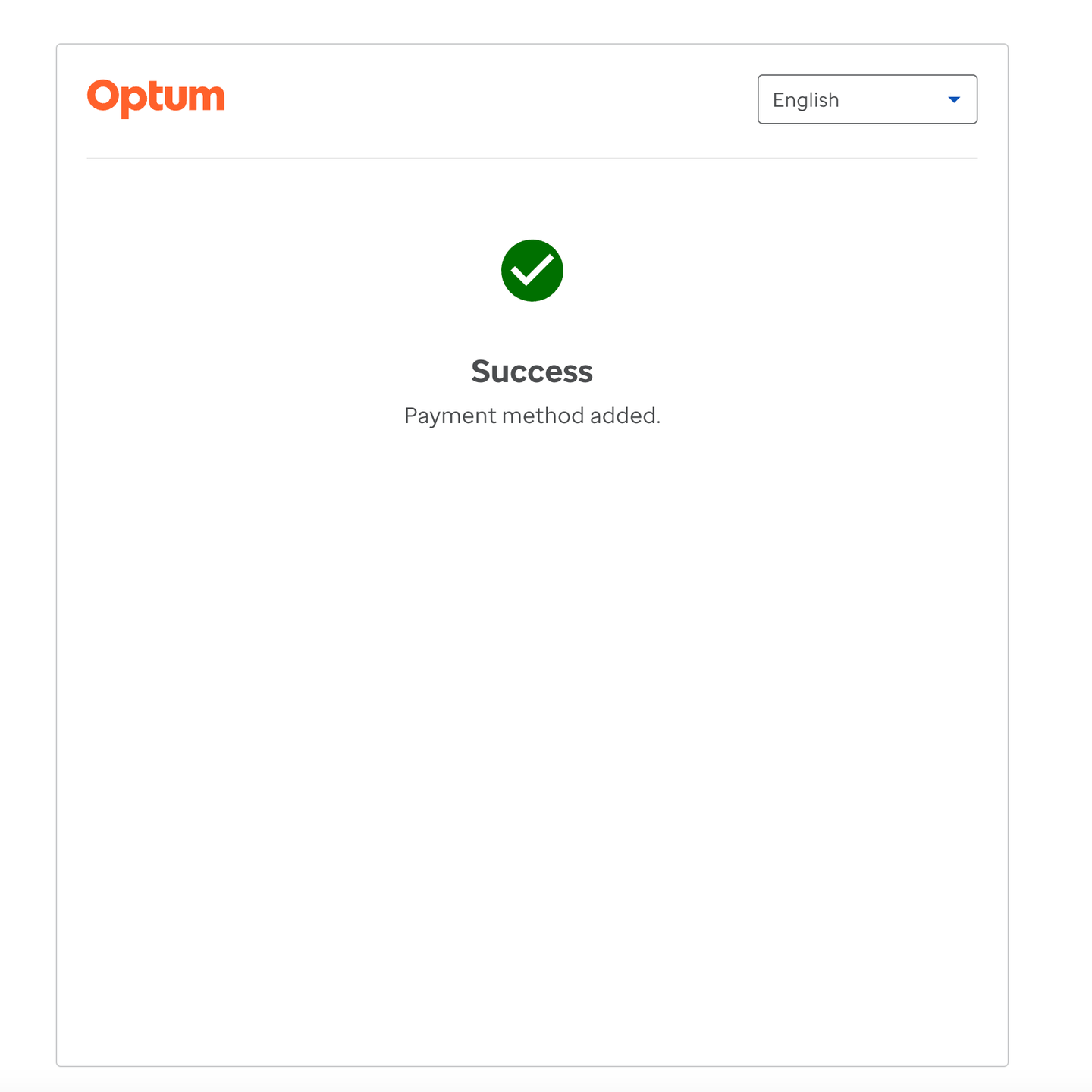
CCG Telephonic Add Payment Method Flow
The CCG Telephonic Add Payment Method Flow enables agents to securely capture and add card details using DTMF (Dual Tone Multi-Frequency) technology via a phone keypad. This guide outlines the step-by-step process, key features, and important time constraints.
1. Starting the Add Payment Method Session
- Create a CCG session for the agent using one of the supported modes:
PAYMENT_METHOD_ENTRYPAYMENT_WITH_WALLETWALLETPAYMENT_METHOD_SELECT
- On successful session creation, launch the CCG widget. The channel “Add via phone entry” will be visible and enabled for selection.
2. Entering Card Details via Phone Entry
- Select the “Add via phone entry” channel.
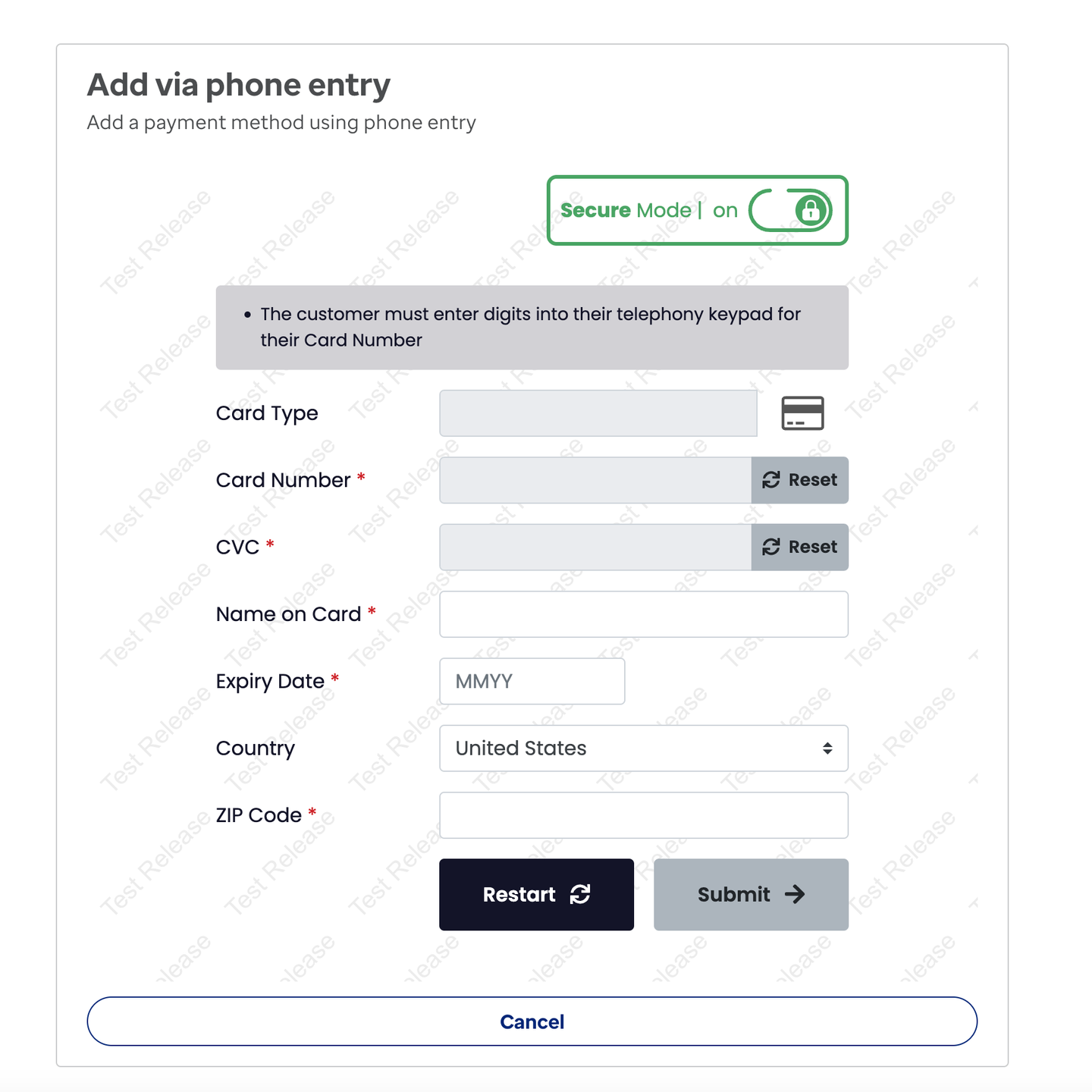
- The agent is presented with the telephonic-entry fragment to enter card details securely.
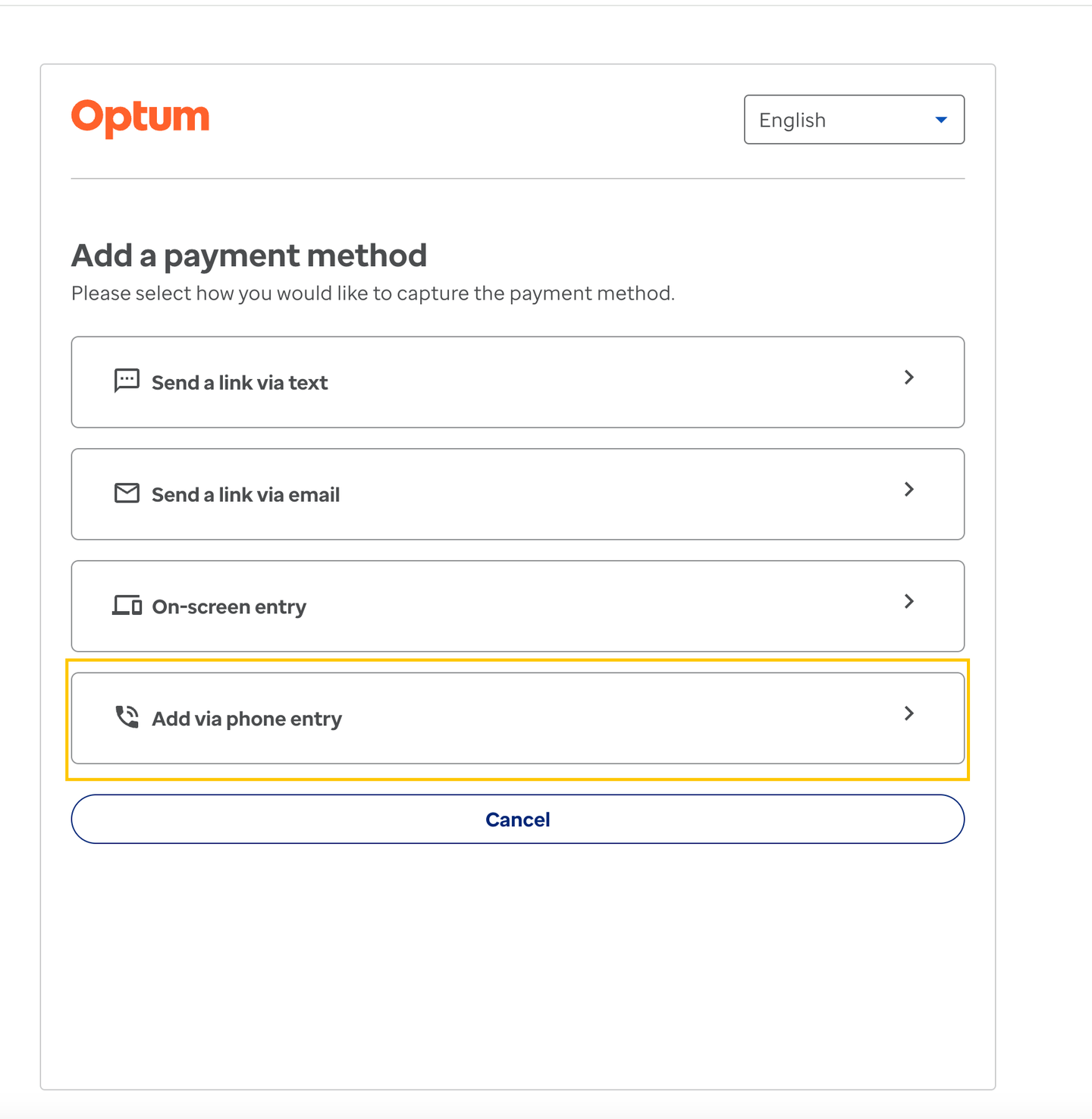
- Once the telephonic-entry fragment is visible and editable, secure data (card number, CVV) can be entered using the phone dial pad.
- Rolling timeout: The user has 5 minutes to enter all sensitive data. After this, secure mode is turned off.
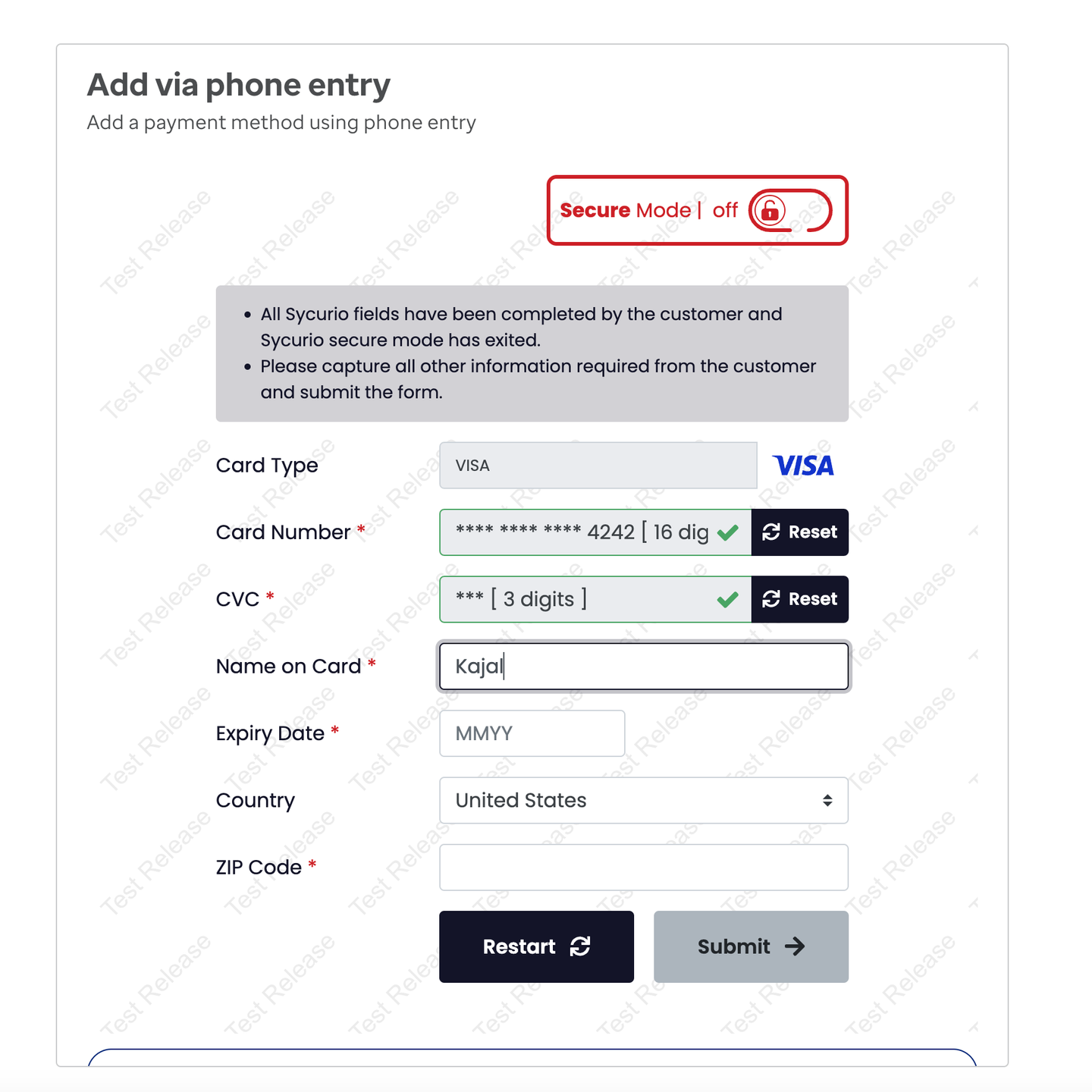
- After secure data is entered, secure mode turns off automatically. The agent can then enter non-secure data (name on card, expiry date, country, zip code).
- Agent timeout: The agent has 2 minutes to enter non-secure data.
3. Reviewing and Submitting Card Details
- After entering all details, a confirmation screen appears where the agent can review (but not edit) the information. To edit details such as Name on card, Card Number, Expiry date, CVC, Zip code, or Country, return to the previous screen.
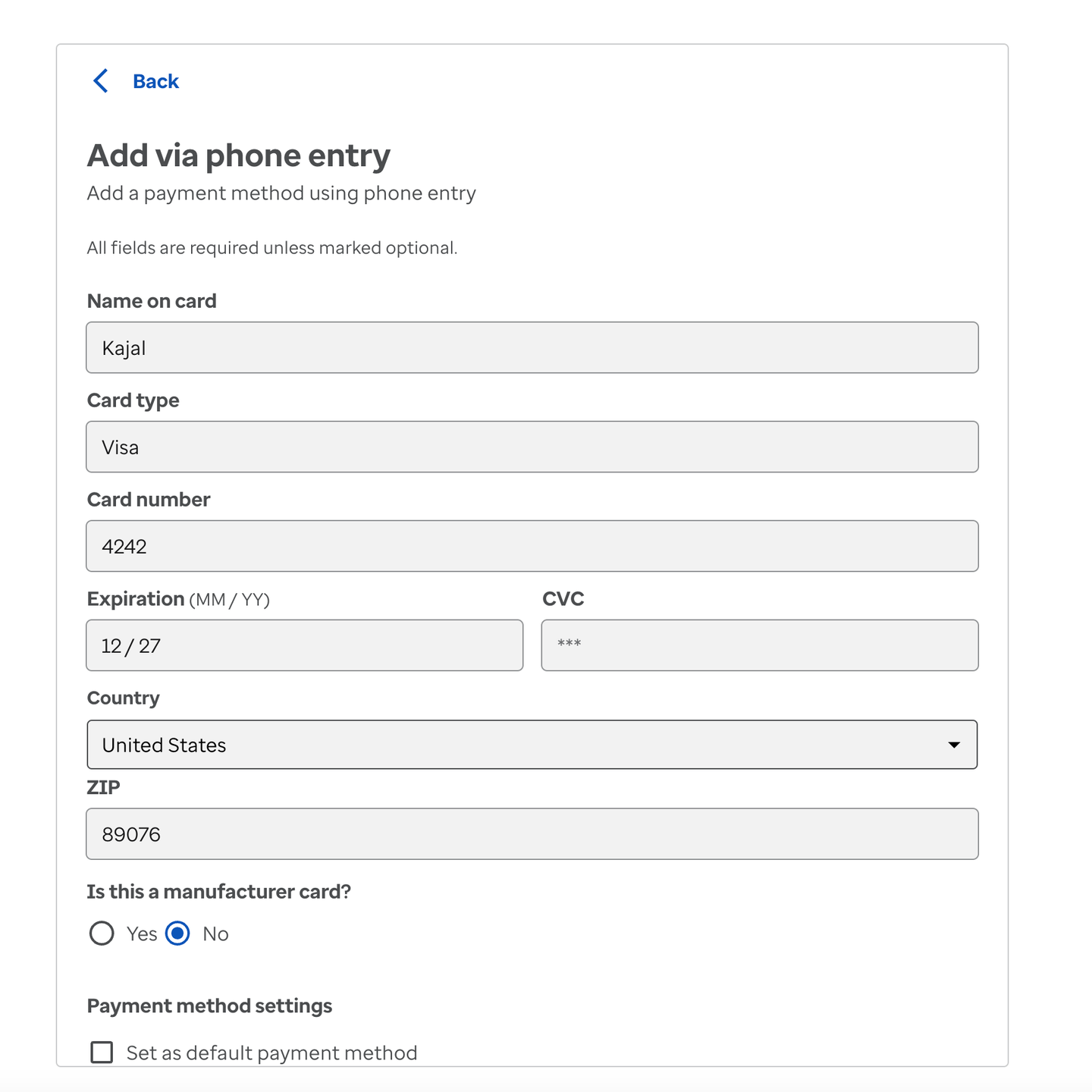
- Click the “Submit” button to securely process the card details. The agent is then presented with the CCG form to:
- Mark the card as a “manufacturer card”
- Set the card as default
- Enter a nickname for the card
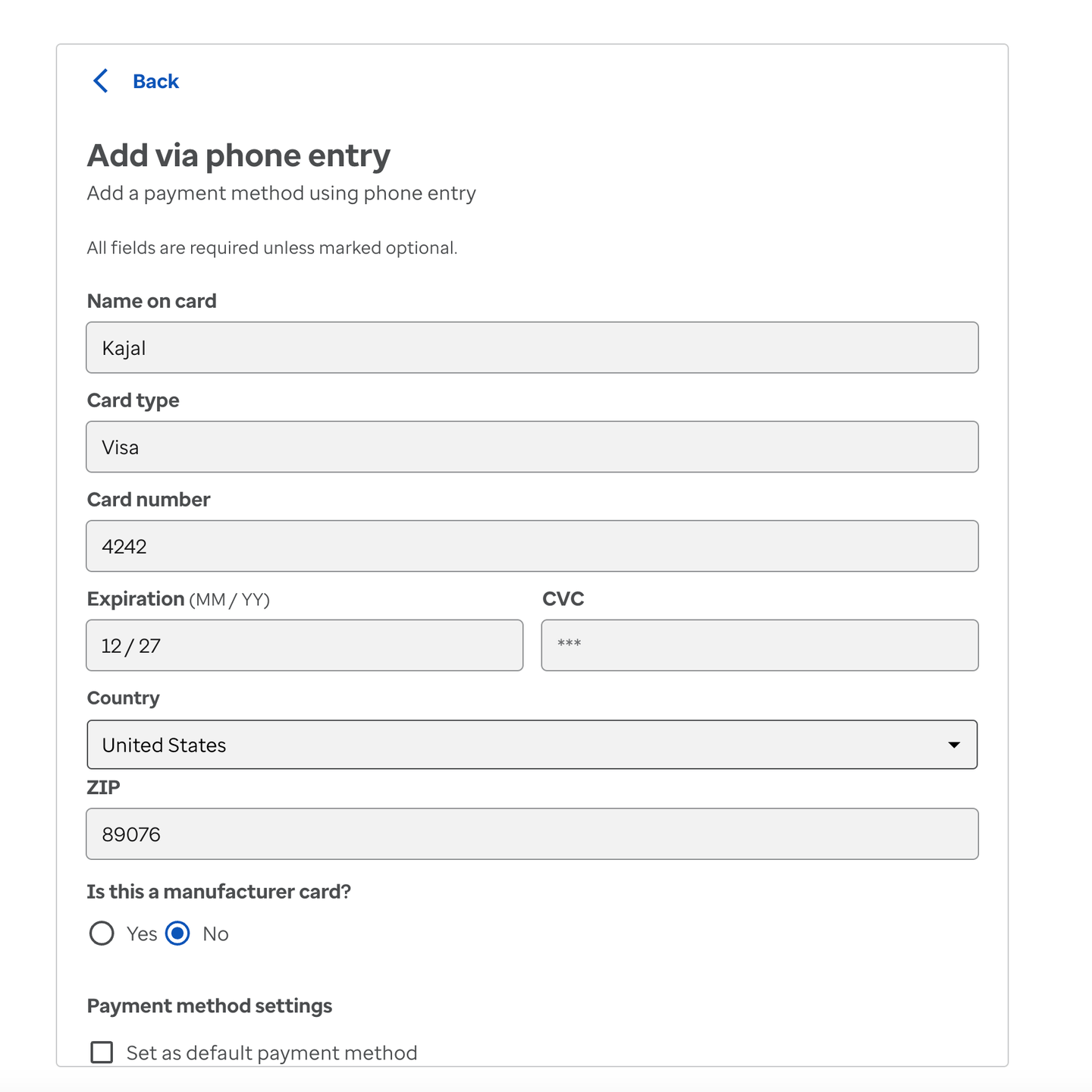
- By clicking the “Save” button, the agent initiates saving the payment method to Stripe. On success, the agent lands on the Success screen.