CCG Telephonic Payment Flow
The CCG Telephonic Payment Flow allows agents to securely capture and process card details using DTMF (Dual Tone Multi-Frequency) technology via a phone keypad. This guide walks through the process, highlights key features, and outlines important limitations and time constraints.
1. Starting a Telephonic Payment Session
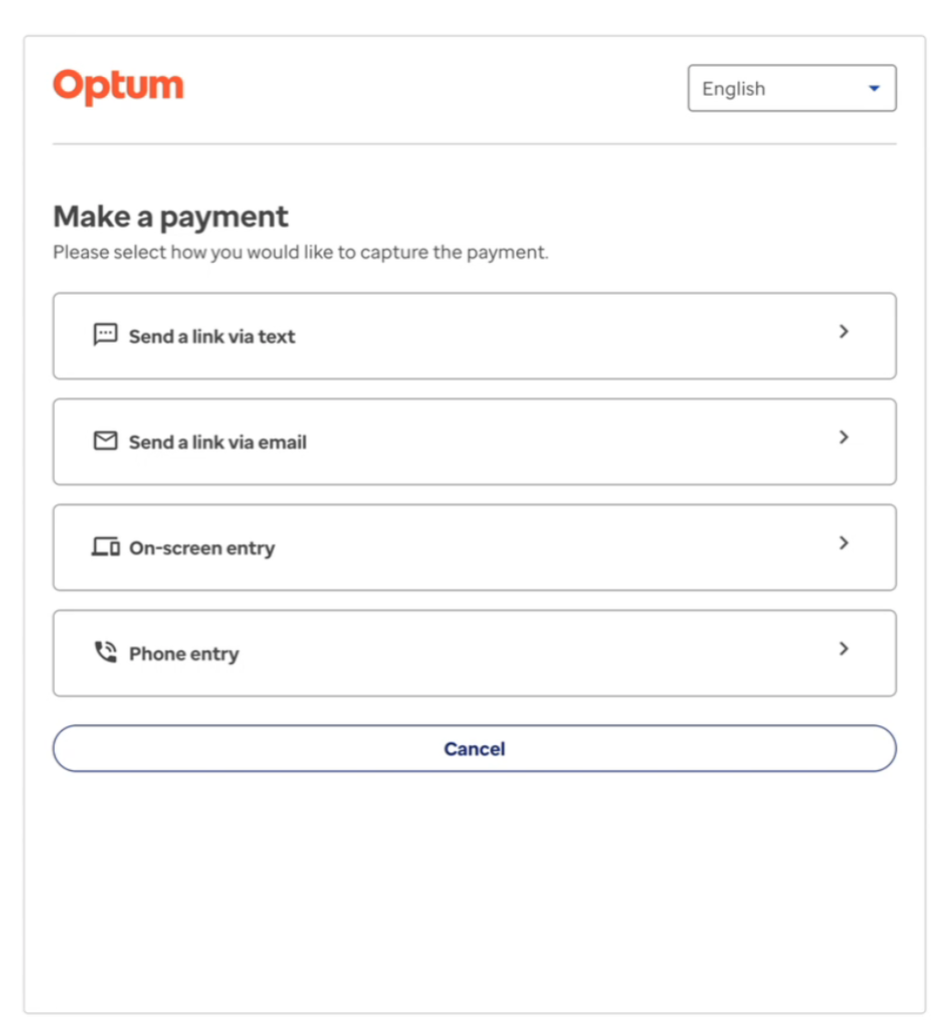
- Create a CCG session for the agent using one of the supported modes, such as
PAYMENT. - On successful session creation, launch the CCG widget. The channel “Phone entry” will be visible and enabled for selection.
2. Entering Card Details via Phone Entry
- Select the “Phone entry” channel.
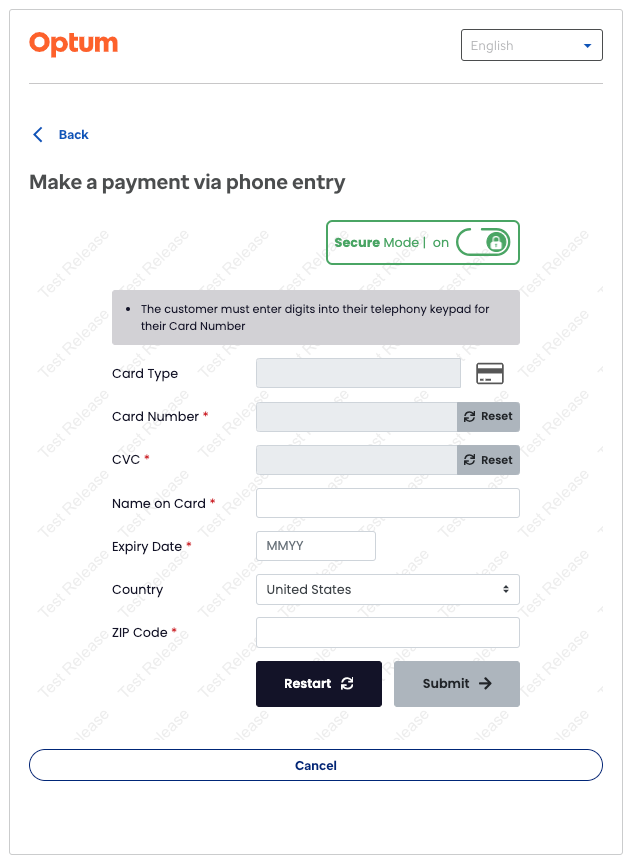
- The agent is presented with the telephonic-entry fragment to enter card details securely.
- Once the telephonic-entry fragment is visible and editable, secure data (card number, CVV) can be entered using the phone dial pad.
- Rolling timeout: The user has 5 minutes to enter all sensitive data. After this, secure mode is turned off.
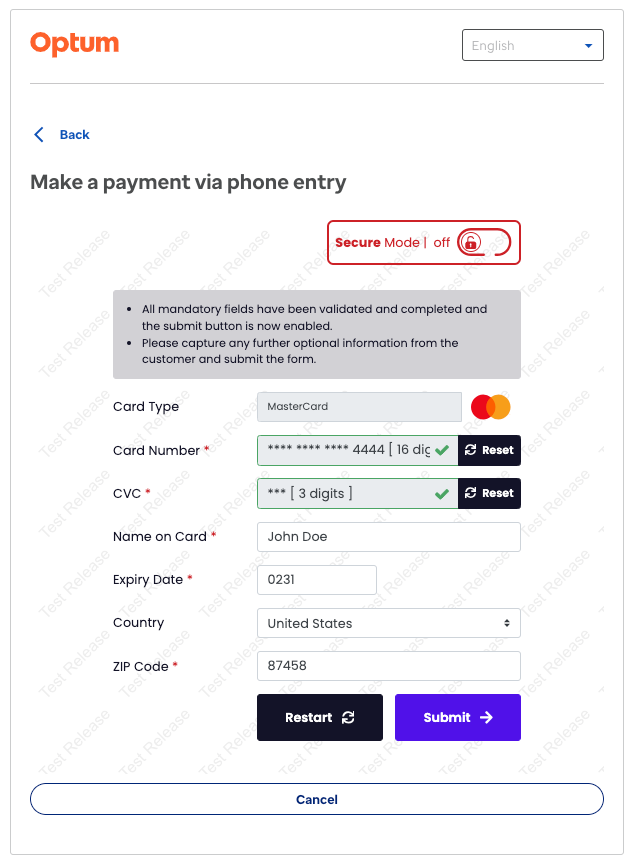
- After secure data is entered, secure mode turns off automatically. The agent can then enter non-secure data (name on card, expiry date, country, zip code).
- Agent timeout: The agent has 2 minutes to enter non-secure data.
3. Submitting the Payment
- Click the “Submit” button to proceed to the confirmation screen, where the agent can choose to save the card for future use.
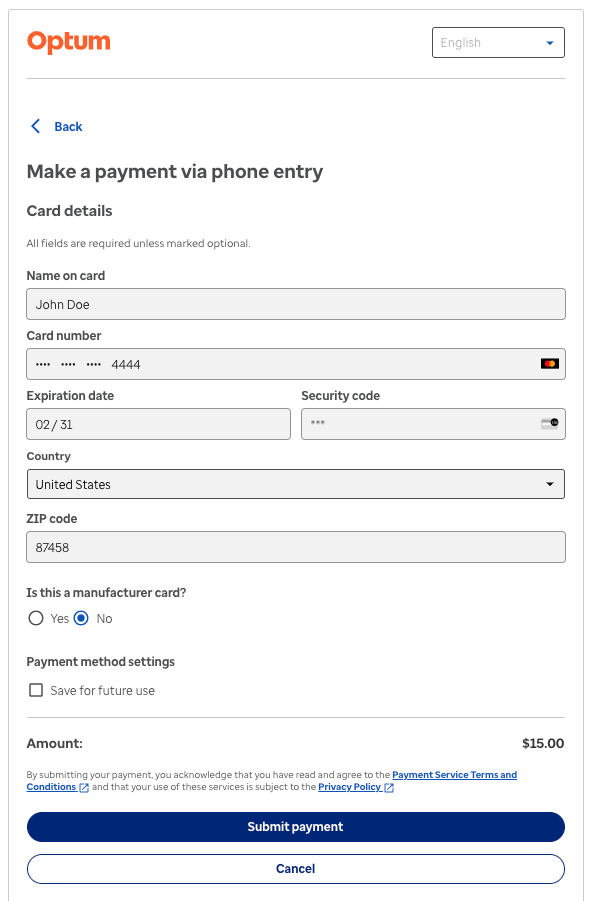
- Click “Submit payment” to initiate payment submission to Stripe. On success, the agent lands on the Success screen.
4. Telephonic Entry Feature Walkthrough
The demo video below showcases the Telephonic Entry feature flow, highlighting how agents securely capture and process card details using DTMF technology. It demonstrates the step-by-step process from session initiation to secure and non-secure data entry, ensuring sensitive information is protected throughout the transaction.
Watch the video to understand the seamless and secure payment method integration using the CCG widget.
5. Error Handling
- Internal failure or call disconnection:
- The user sees a toast error message: “Telephonic entry creation invalid.”
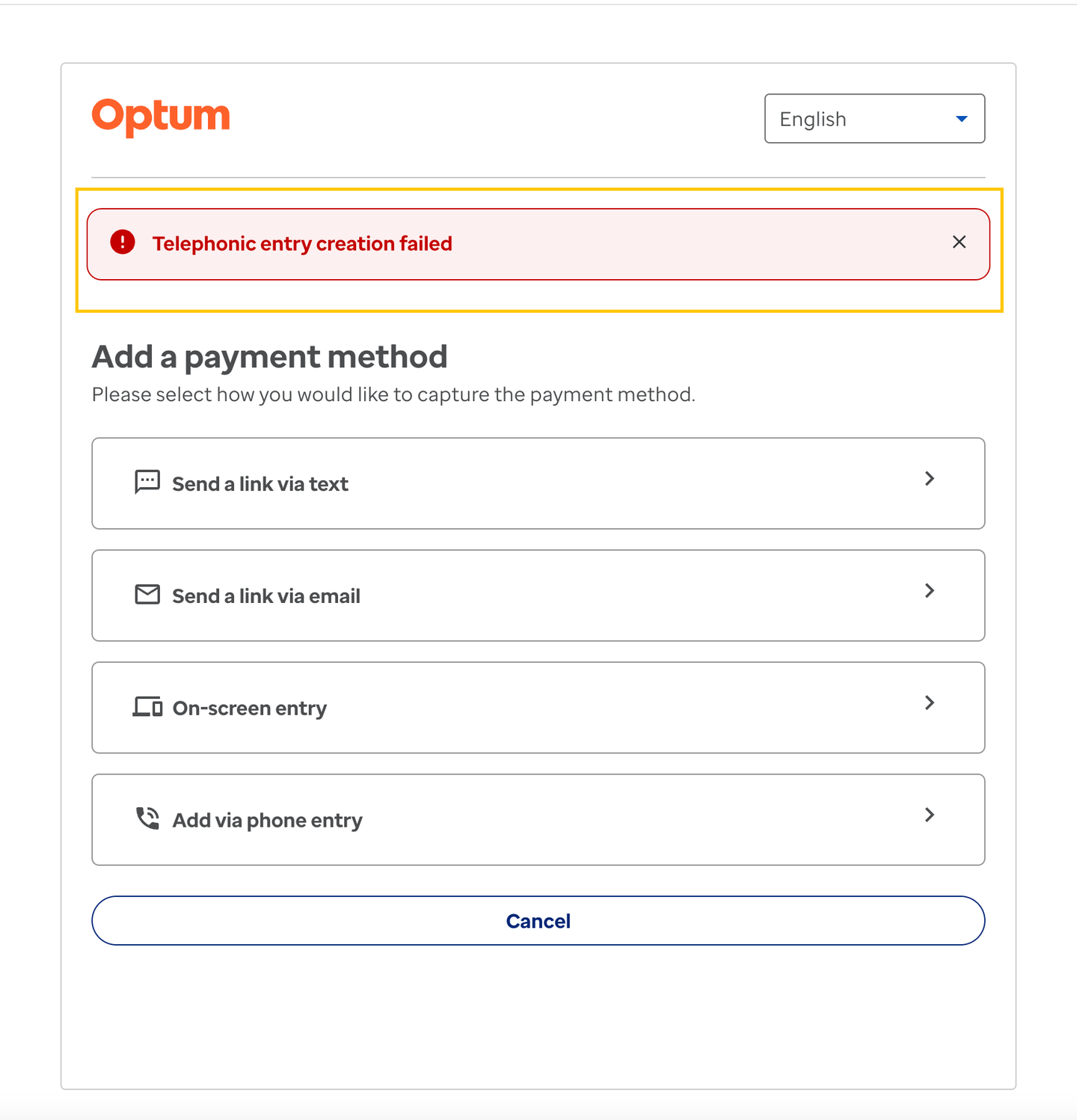
- In such cases, the user can retry telephonic entry or select another channel to proceed.
6. Channel Disabling After Failed Attempts
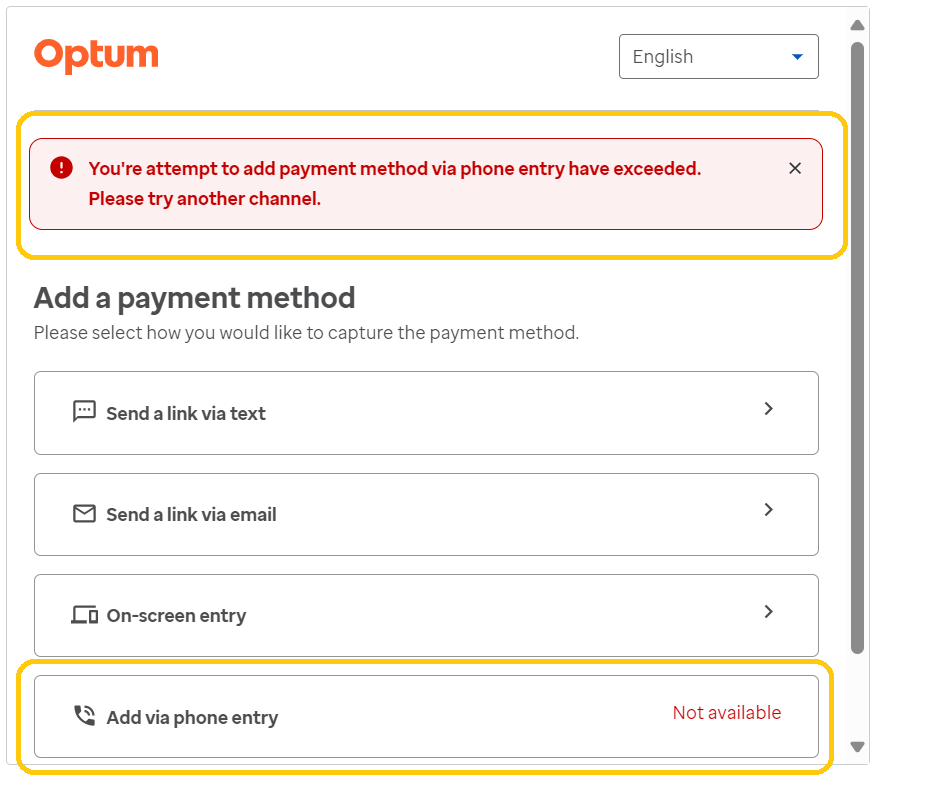
- If the user selects “Add via phone entry” 5 consecutive times and fails to add a card (due to Sycurio response or other reasons), the channel becomes unavailable.
- The user must then select another channel to continue.
7. Limitations of Telephonic Entry
- DTMF Only: Only DTMF input is supported; no voice-over capabilities.
- No Voice Prompts: Advocates must prompt users based on Sycurio fragment screen info/alerts. There are no voice prompts on the phone line during secure mode.
- Language Support: Only English is supported. No support for Spanish or other languages.
- 3Ds Support: 3Ds CARD payment is not supported for both making payments and adding cards to the customer wallet.
8. Time Constraints Terminologies
Time constraints are designed to enhance security and ensure sensitive information is handled within a controlled timeframe.
Rolling Timeout for Customers
- 5-minute rolling timeout:
- The timeout resets every time the customer interacts with the Sycurio fragment.
- As long as the customer continues to interact, the 5-minute timer keeps resetting.
- This prevents session expiration during active use, ensuring customers have enough time to complete secure data entry.
Agent Timeout
- 2-minute agent timeout:
- After secure data entry and secure mode deactivation, agents have 2 minutes to enter non-secure data (name on card, expiry date, country, zip code).
- This ensures prompt handling of non-secure data and reduces the risk of sensitive information being left unattended.